iCharge Panel provides companies with a centralized functionality for managing and monitoring balances, allowing them to manage, transfer, and track drivers’ balances from a single dashboard. This gives businesses full control over how balances are distributed among drivers, while maintaining a clear view of every balance movement within the system.
Through centralized balance management, companies can easily transfer balances between drivers, adjust funds when needed, and ensure that driver accounts always reflect the correct balance. This helps simplify internal financial operations and makes balance administration faster and more organized.
The monitoring capability also allows companies to track all balance-related activities in real time. Every transfer is recorded and can be reviewed through the transaction history, giving administrators a clear overview of how balances move between driver accounts.
- Open the “Drivers” section in the dashboard.
- Select the driver you want to manage by clicking on them.
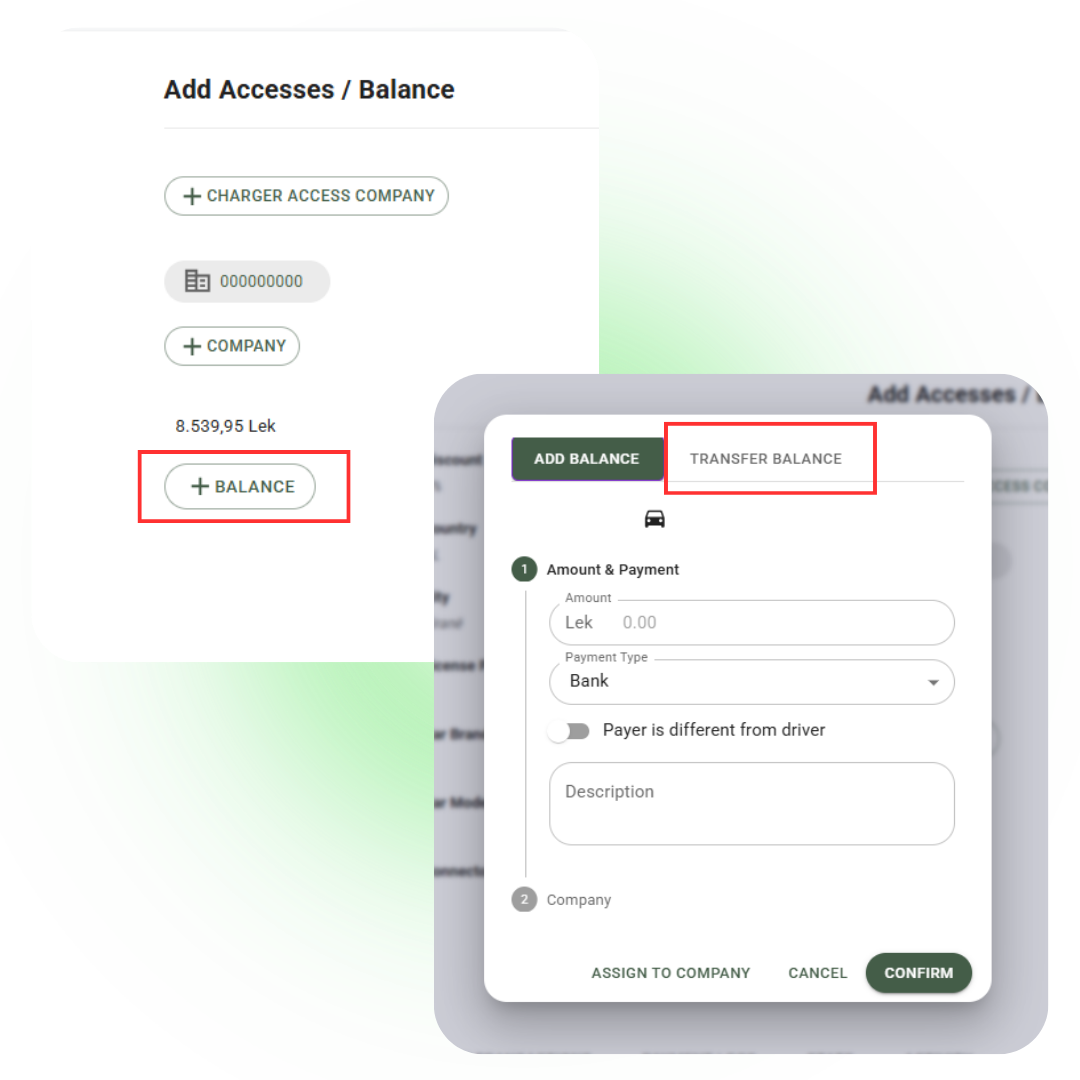
- Click “+ Balance”.
- Choose the “Transfer Balance” option.
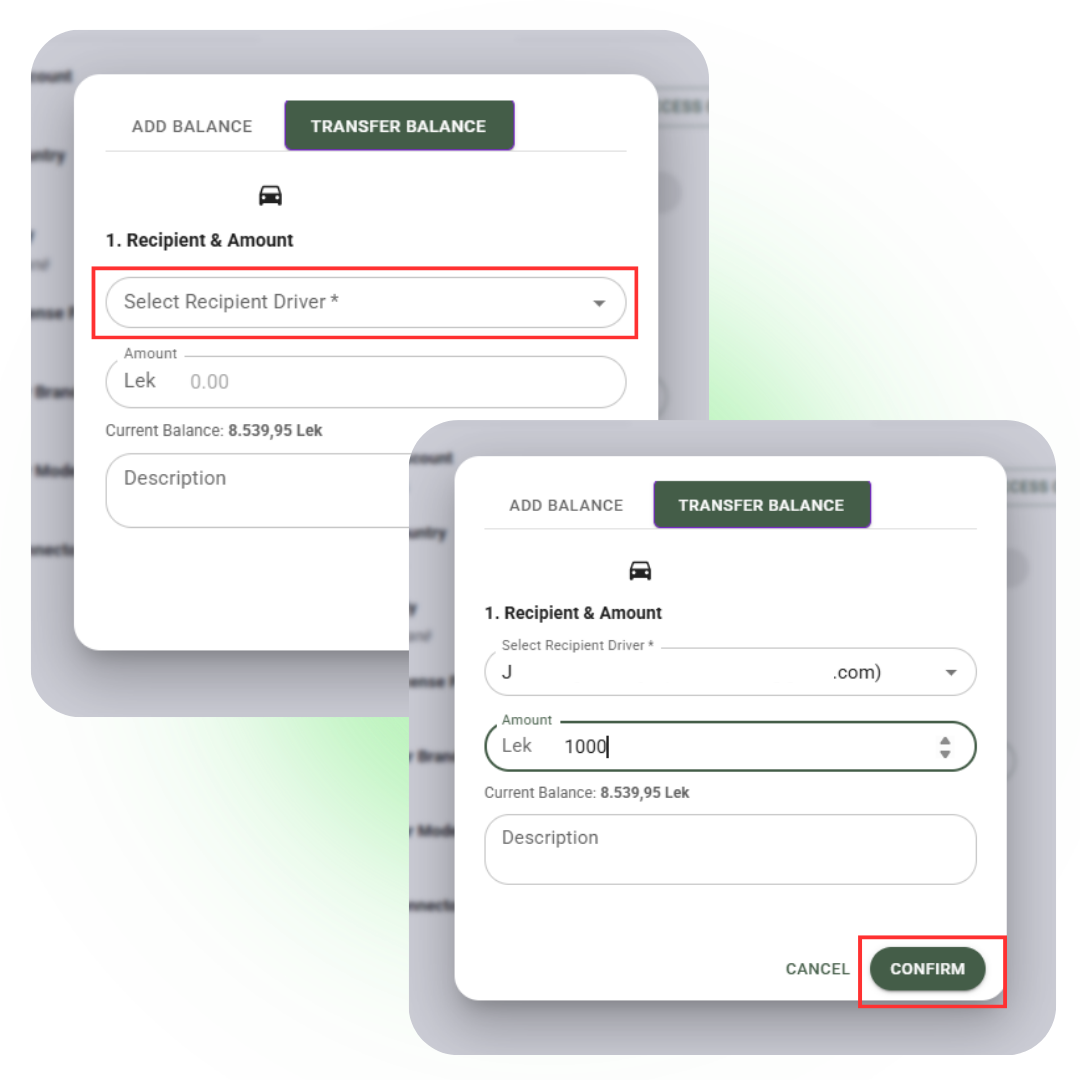
- Select the driver who will receive the balance.
- Enter the amount you want to transfer.
- After verifying that the details are correct, click “Confirm.”
After confirmation, the balance is transferred immediately, and the system automatically updates the information in the panel.
All completed transfers can be reviewed in the “Deposit Transactions” section of the dashboard.
In this section, you can view the full transaction history and verify each completed transfer. Transfers made from an account are displayed with the “-” symbol, indicating the balance that has been transferred.
This helps you maintain a clear overview of all balance movements and better manage driver activity on the platform.
By combining centralized balance management with transparent monitoring, the iCharge Panel helps companies achieve better financial control, reduce manual coordination, and efficiently manage drivers’ balances directly from the platform.
